

Context changes.
Your AI should keep up.
Planisphere is the harness around the Claude Code and Codex you already use. It hands your AI your latest notes every time you ask it something, and can keep a record of what it did.

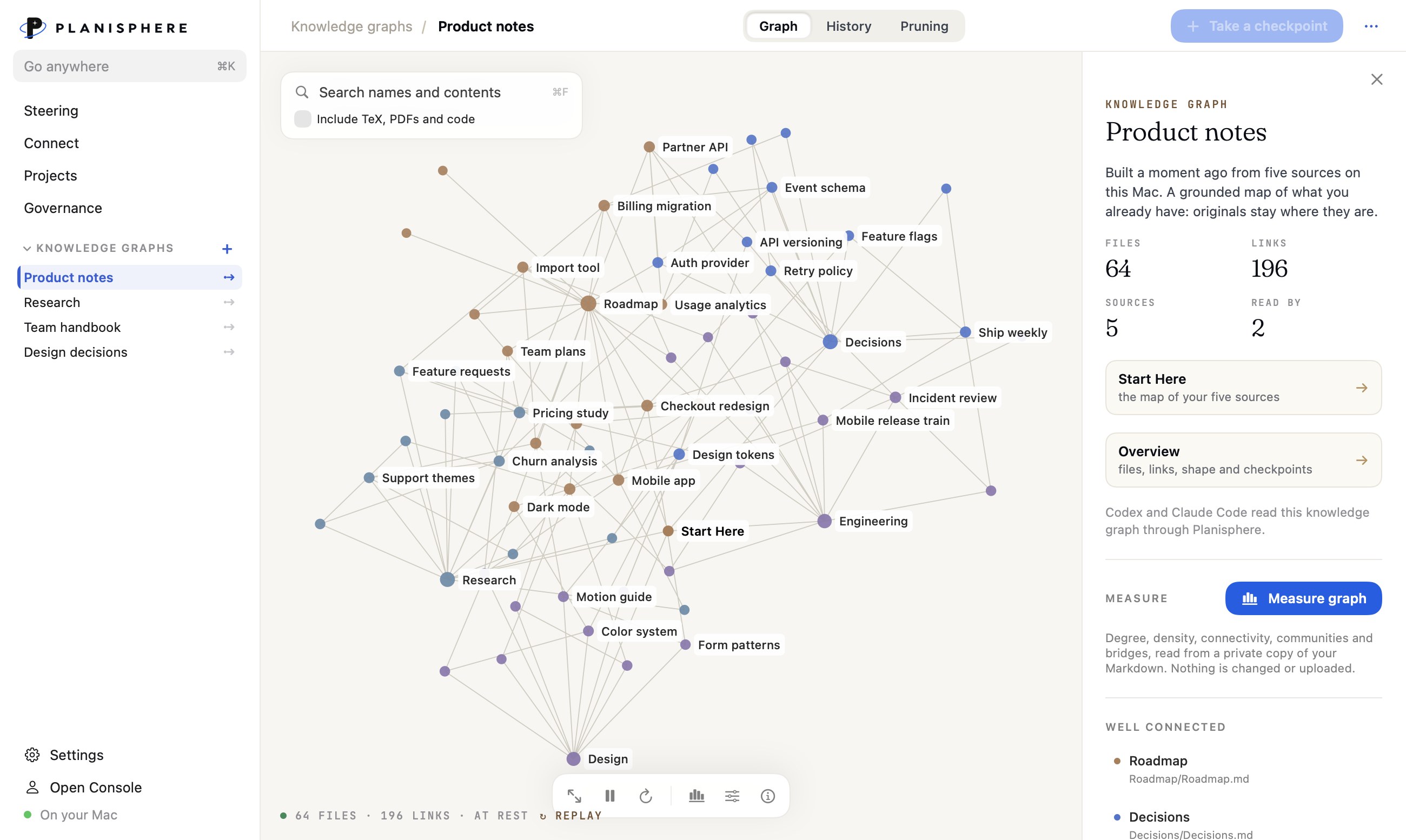
Your context in your conversations.
New project, new branch, a second agent started by the first. Each one starts with what the others already know, so you never explain the work twice.
Steering
Every Claude Code and Codex session on this Mac, grouped by project, with who started whom. Leave a note for the next turn, or send it now.
Memory
One memory for Claude Code and Codex. It reaches the agent as plain prose, with nothing to run or acknowledge.
Knowledge graphs
Your notes, with checkpoints you can compare and restore. The agents read them through a local reader.
Local LLMs
Download and run a support model for your frontier workflows.
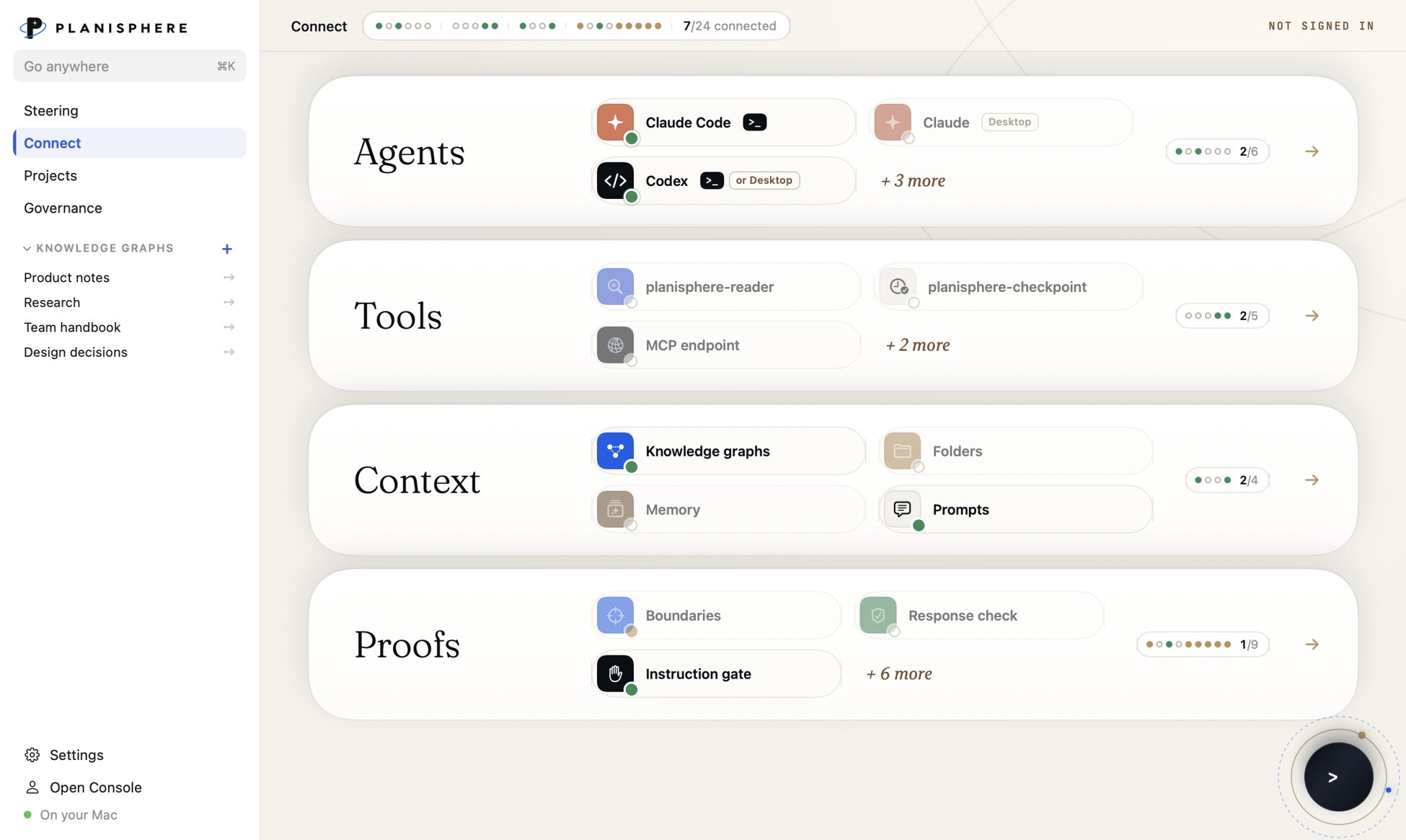
Connect to your Agents
Planisphere sits around them: what they remember, what they may access, who can sign off, and what gets written down.
Create rules and policies.
See every time an agent touches what matters. Seven starter boundaries cover production, the main branch, permissions, secrets, shared systems, money and delivery. Every crossing shows up in the agent's own transcript, and once you connect a second witness, like your cloud audit log or GitHub, it's confirmed there too.
See the boundaries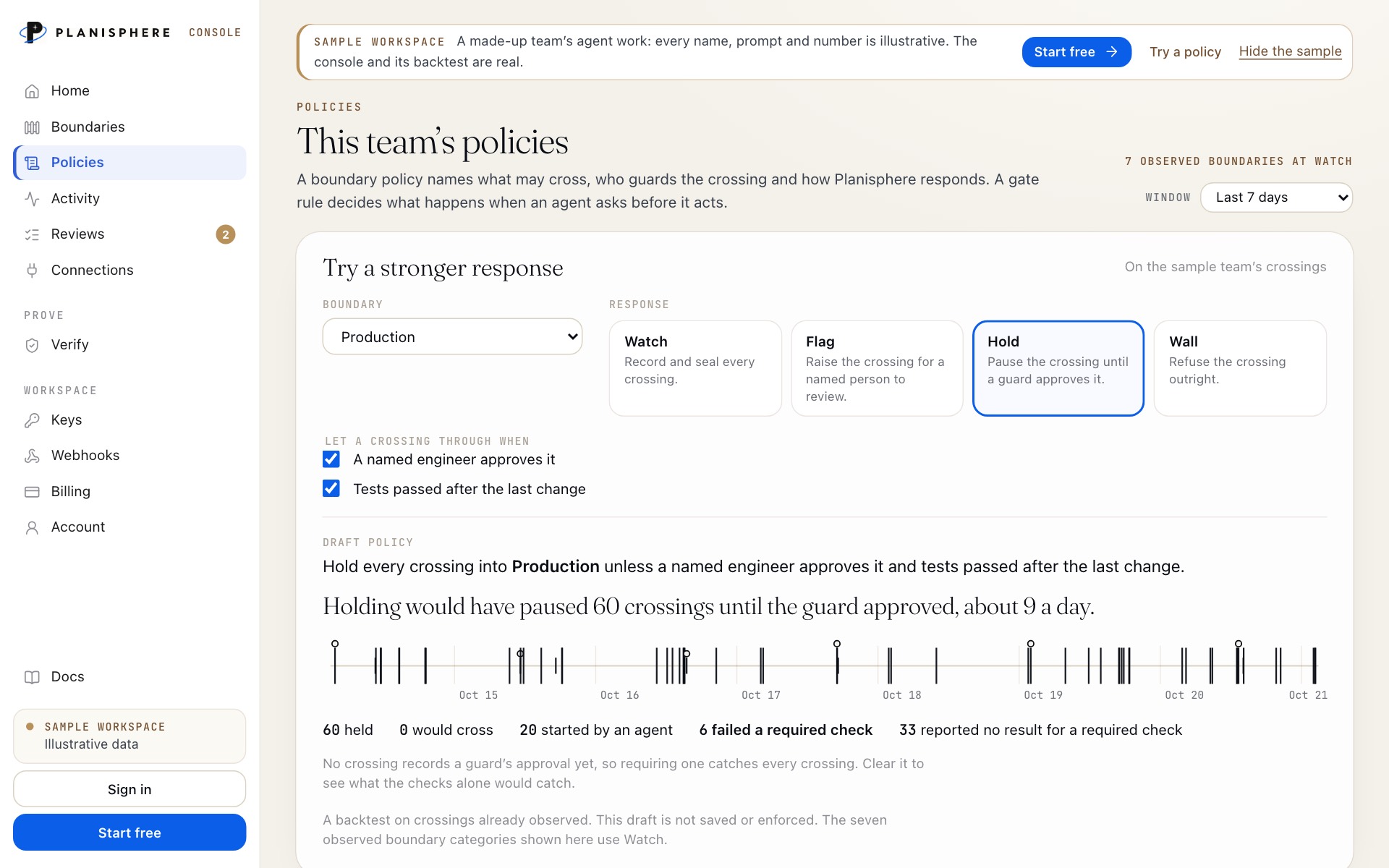
Create proofs of compliance without revealing the data.
The prompt, what the agent did, and the checks it passed, in readable words.
Signed at the time, so a later edit shows.
Paste a receipt into Verify. Integrity, signer and standing, in one answer.

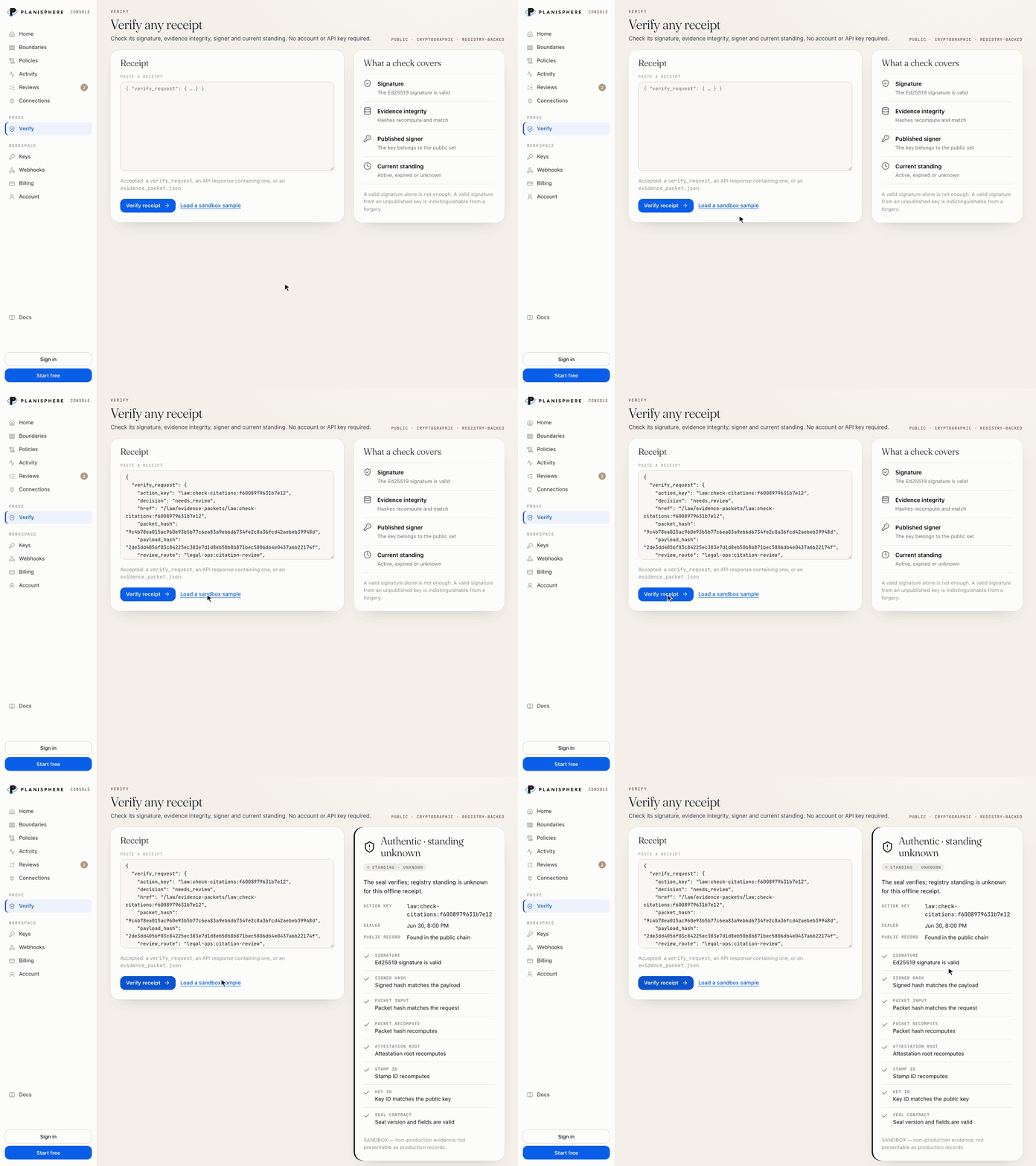
Verify is public: no account or API key required
Regulation is inevitable.
Useful answers.
Is Planisphere an AI?+
No. It's the harness around the AI you already use. Claude Code and Codex do the work; Planisphere keeps them current, watches the boundaries you care about and writes down what happened.
What stays on my Mac?+
Your knowledge graphs and their checkpoint history, and the memory Claude Code and Codex share. None of it needs an account. The console sees only what you choose to report from a connected Mac.
What does verifying a receipt establish?+
That the record is intact, who signed it and whether it still stands. It doesn't establish that a record is complete, or that the work was right.
Is the Mac app free?+
Yes. Download it and use it on your Mac, with your own Claude Code and Codex. The console is for teams, and its first 1,000 credits every month are free.
Do I need the console?+
Not to start. The Mac app works on its own. The console is for when a team wants one place for records, reviews and proof.
Keep your AI current.
Planisphere for Mac is free. It wraps the Claude Code and Codex you already use.